Ask about your environment, get an answer you can check
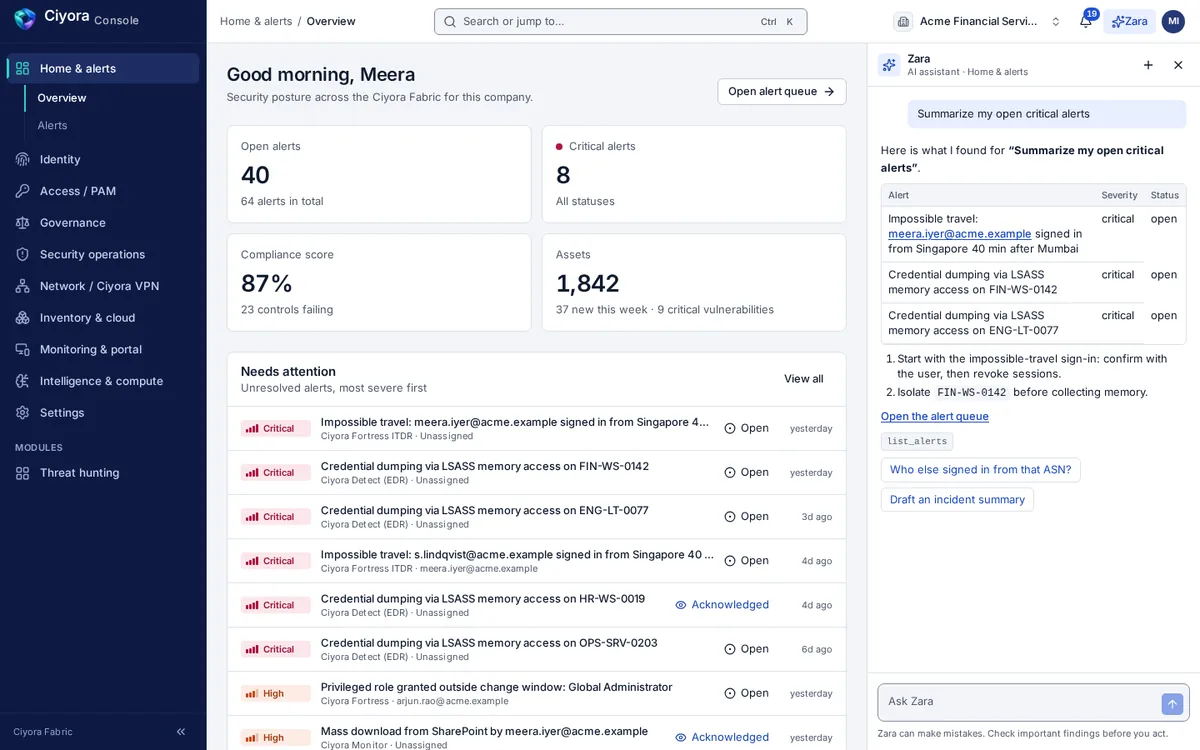
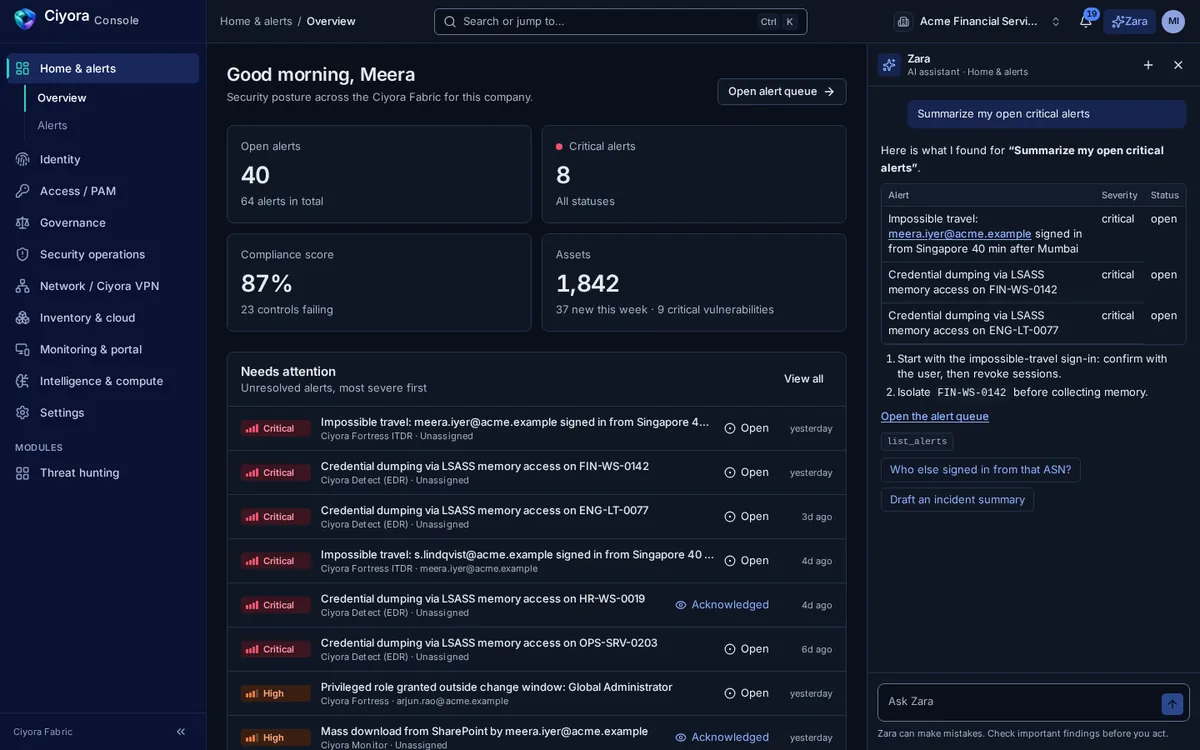
Zara is the assistant built into Ciyora Console. It answers from your tenant's data, shows which tools it called to get there, and suggests a next step. It never acts on its own: changes go through the same confirmations and approvals as everything else.
What Zara does
Context from the page you are on
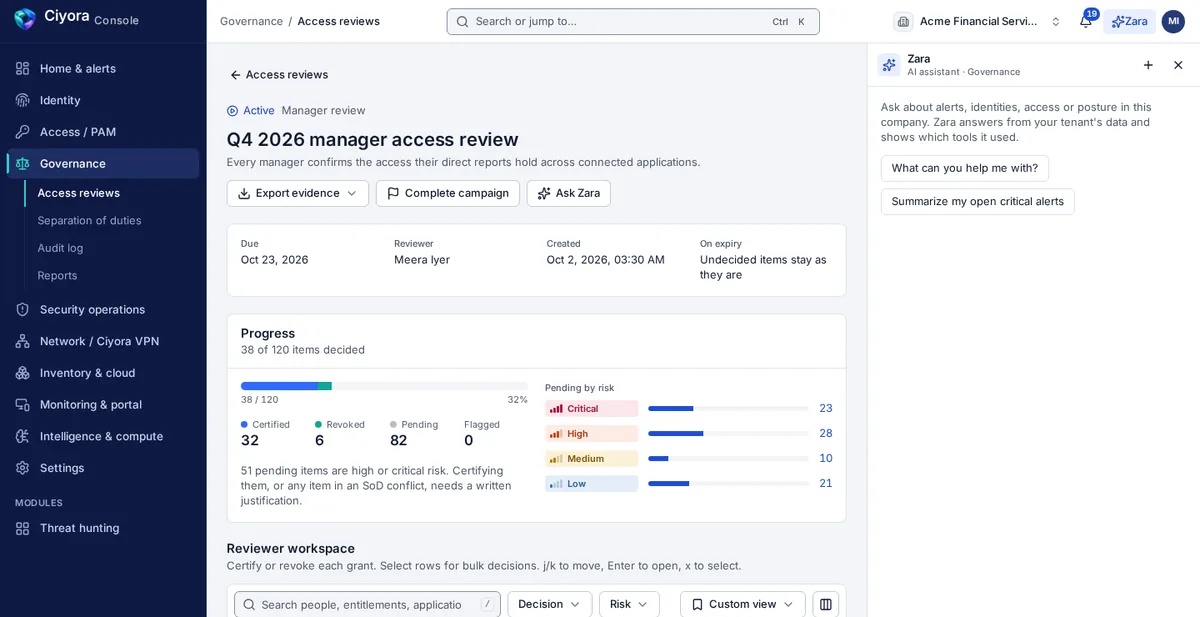
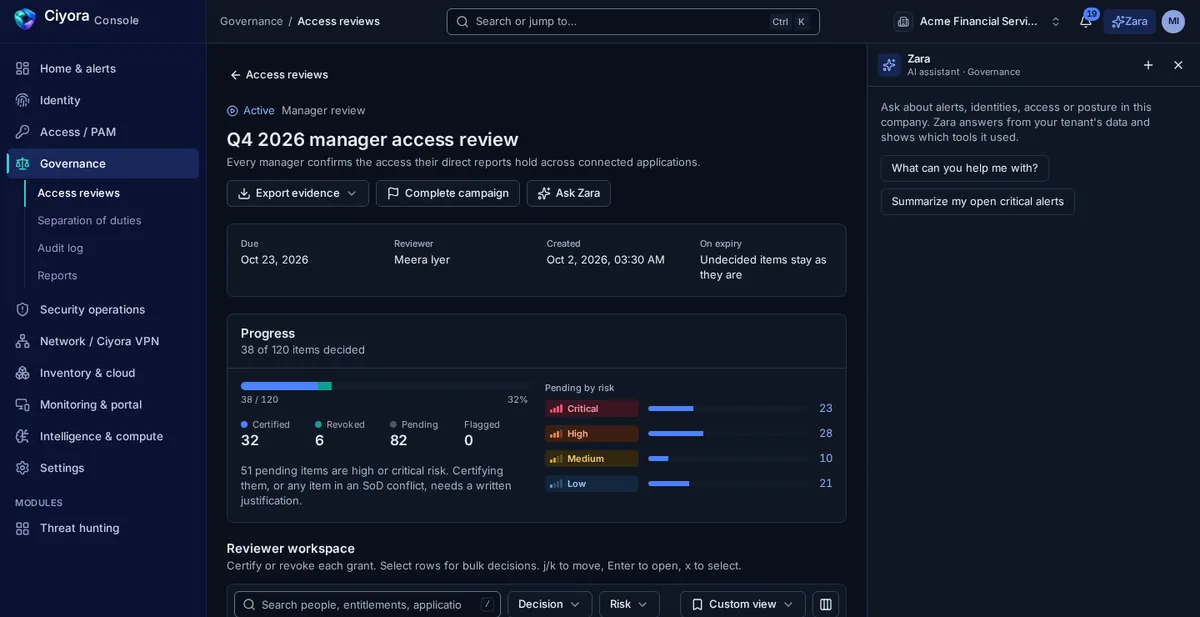
Zara opens beside any page and starts with questions that fit it: who has standing privileged access on the access pages, which identities have excessive privilege on the identity pages, or a summary of open critical alerts on the home page. Many records also have an Ask Zara button.
- Answers grounded in your tenant’s alerts, identities, access, posture and network data
- Tool calls named in the answer, so you can check the source
- A reminder on every answer to check important findings before acting
Suggestions where decisions are made
In an access review, Zara suggests certify or revoke for each item with a confidence score, based on usage and risk. Reviewers still make, and own, every decision.
Tools across every module
Zara works through tools that each module exposes. It can list frameworks and take a compliance snapshot, look up identities and grants, list VPN devices, pending routes and the access policy, or summarise alerts and incidents.
- Tools for Fortress, Comply, Ciyora VPN, Detect and the other modules
- Help with compliance paperwork: policy drafts, evidence checks and audit report drafts in Ciyora Comply
In the console and on the phone
Zara is beside every page of Ciyora Console and in the Ciyora mobile app, with suggested questions to start from and answers rendered as plain, safe text.
The model stays under your control
Administrators choose the language model Zara uses for the tenant (Anthropic, OpenAI, Amazon Bedrock or a self-hosted Ollama model), test it and make it active. Keys are write-only and never shown back.
How Zara works with the rest of the platform
Every module shares one tenant, one identity model, one audit chain and one console, so a finding in one place is context everywhere else.
Zara is included with every paid module. See pricing.
See Zara in a demo
A demo walks through the module on a sample tenant and covers how it would connect to your identity provider, cloud accounts and sites.