Privacy-first endpoint monitoring
Ciyora Monitor gives security and operations teams endpoint activity, recordings for investigations, productivity, attendance and timesheets, insider-risk signals and data-protection events for file transfers, USB devices, printing and AI tools. Nothing is collected until the person at the device has seen and acknowledged the monitoring notice, and there is no stealth or hidden mode.
What Ciyora Monitor does
Consent before collection
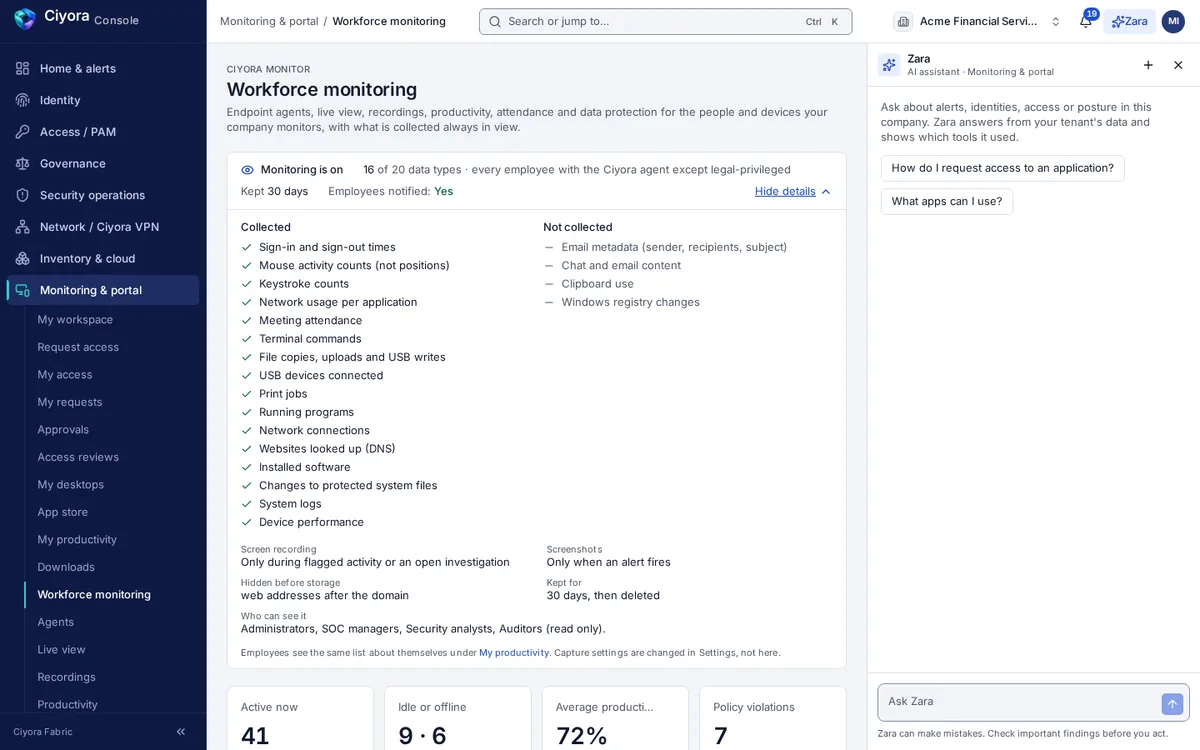
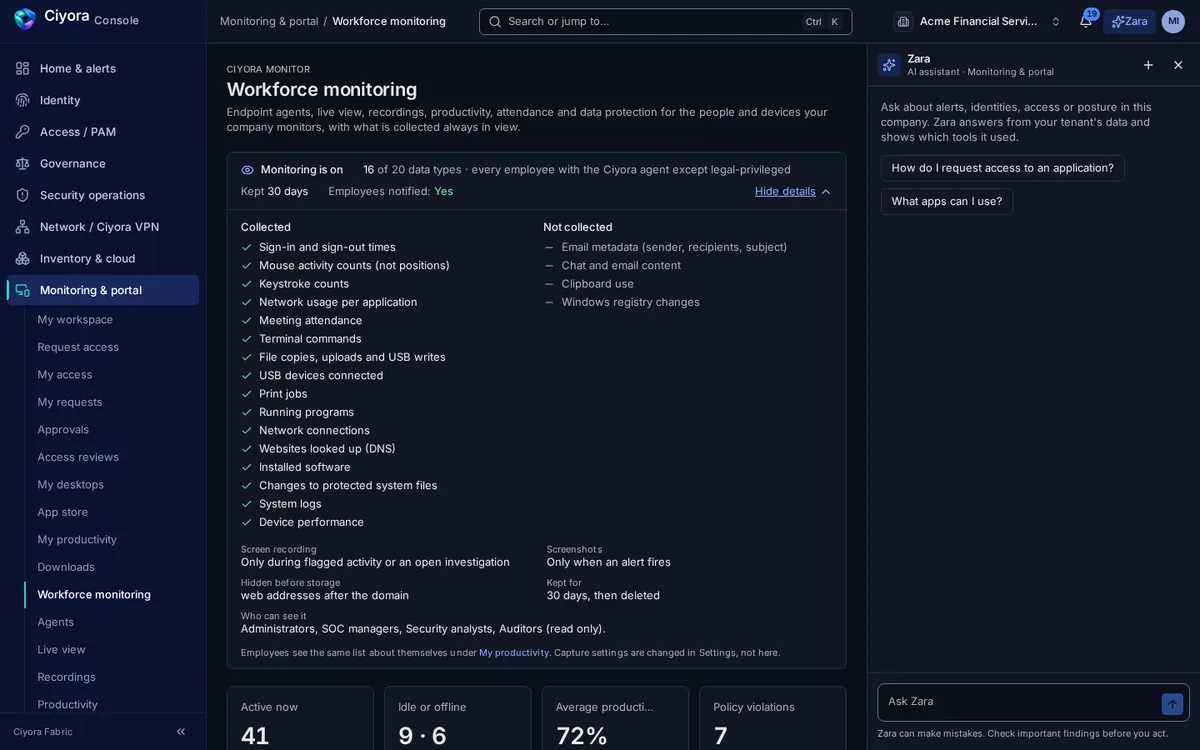
The agent shows the monitoring notice on the device and holds all capture until the person has acknowledged it. A tray indicator always shows whether monitoring is on, and there is no stealth or hidden mode.
- Acknowledgements recorded with who, when and which version of the notice
- The same notice in the employee portal, with what is and is not collected
- Work Mode: clock in and out from the tray, and pause for breaks or personal time
One view of the fleet
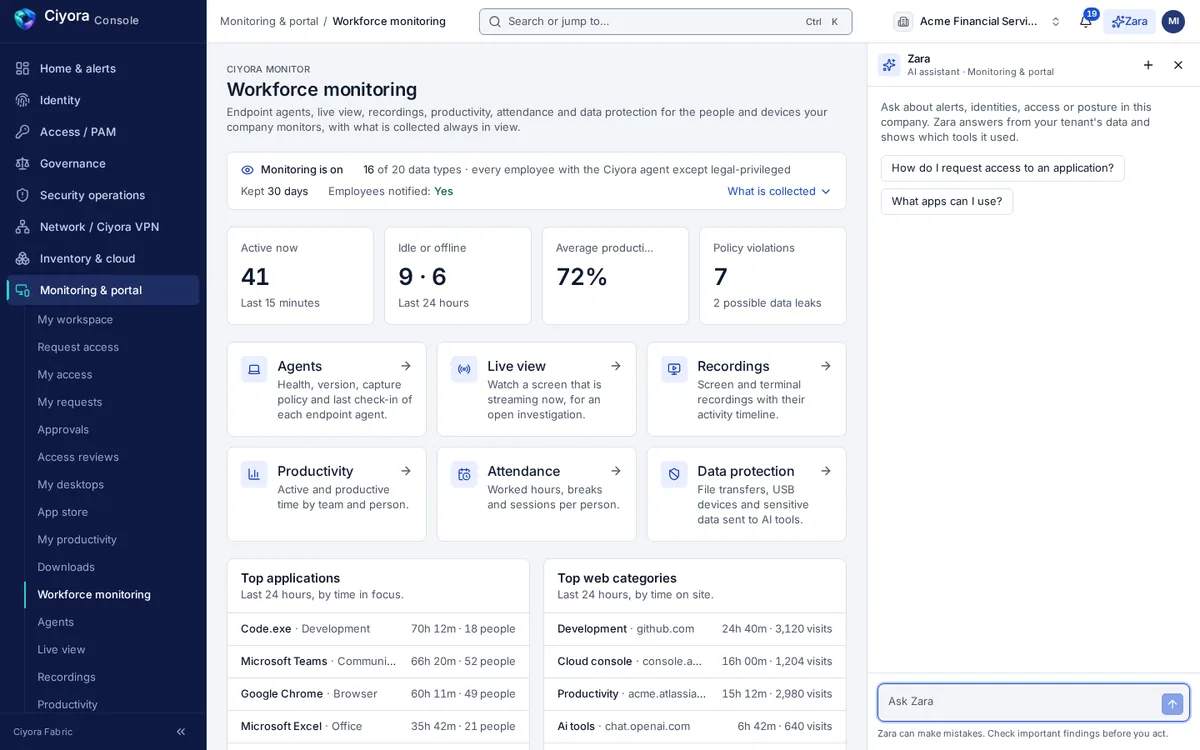
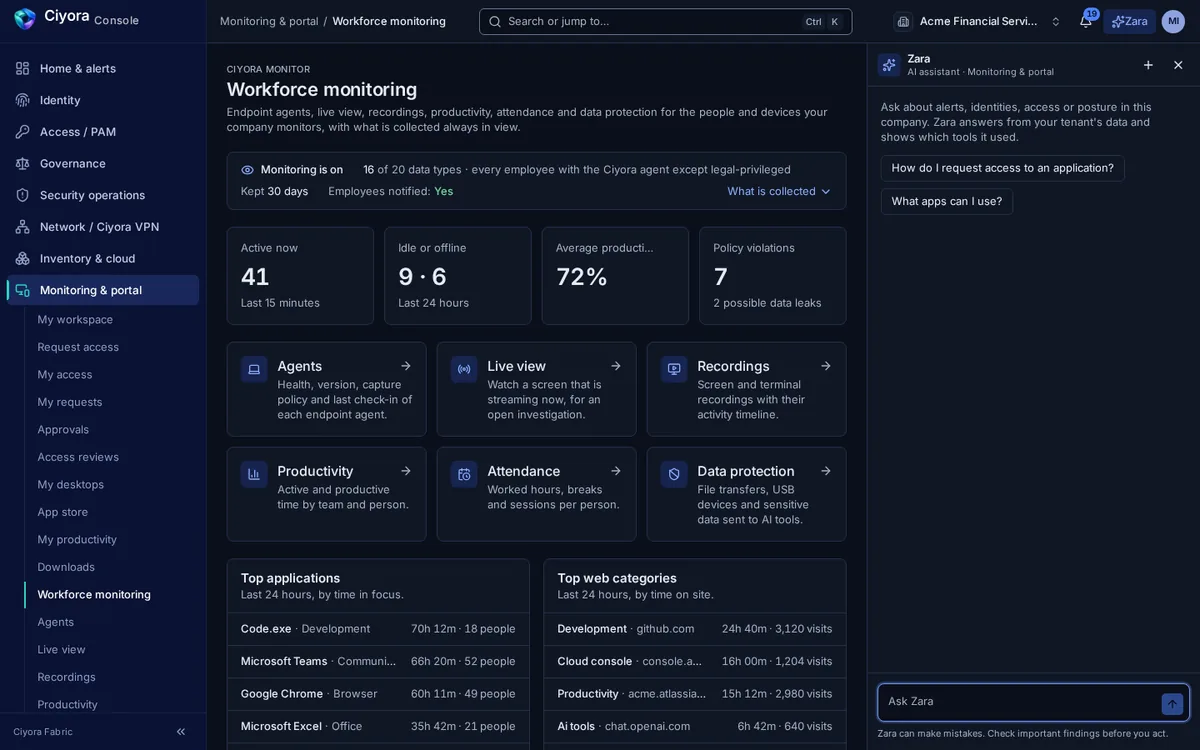
The overview shows who is active, idle or offline, average productive time, policy violations, and the most used applications and web categories, with links into each tool.
- Agent health, version, update channel, mode and the capture policy in force on each device
- Agent enrolment with tokens that can expire, be limited to address ranges and require approval
Recordings for investigations, with evidence integrity
Screen and terminal recordings play in the console with the activity that happened during them. Recording can run only when a policy rule is broken, so investigations get the clip without recording everything.
- Record-on-violation windows and screenshots taken on alerts
- Tamper-evidence manifest for each recording, and deletion only after a typed confirmation
- Read-only live view after a confirmation that states its purpose limits
- Every recording played and every live view opened is written to the audit log
Productivity, attendance and timesheets
Active and productive time by day, team and person, classified by your company’s rules, with attendance and timesheets built from the same data.
- Productivity over 7 or 30 days by team and person
- Worked hours, breaks and sessions, with daily clock-in and clock-out
- Timesheets, shifts, projects and time claims
- Each employee sees their own figures in My productivity
Data protection at the endpoint
File transfers, USB devices, print jobs and data sent to AI tools are reported by the agent. Policies for AI tools record violations, and each event shows exactly what the agent reported.
- File transfer and USB device events, searchable and sortable
- Print job tracking
- AI-tool policies and violations, including shadow AI use
- Data labels for sensitive content and data-exfiltration findings
Insider risk
Behaviour is compared with the person’s own history and with peer groups. A rising risk score opens a case for an investigator instead of an automatic action.
- Behaviour scores against peer groups
- Cases opened for review, linked to the evidence
Consent first, nothing hidden
Ciyora Monitor shows people a monitoring notice before any monitoring starts, and there is no stealth or hidden mode. Organisations configure monitoring under their own legal obligations.
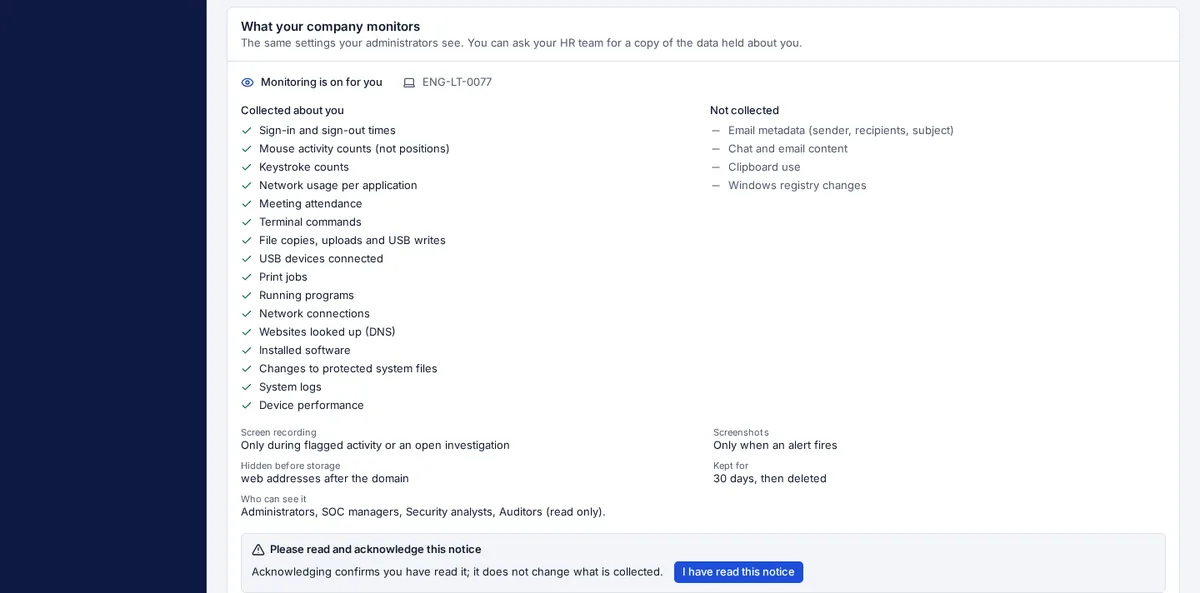
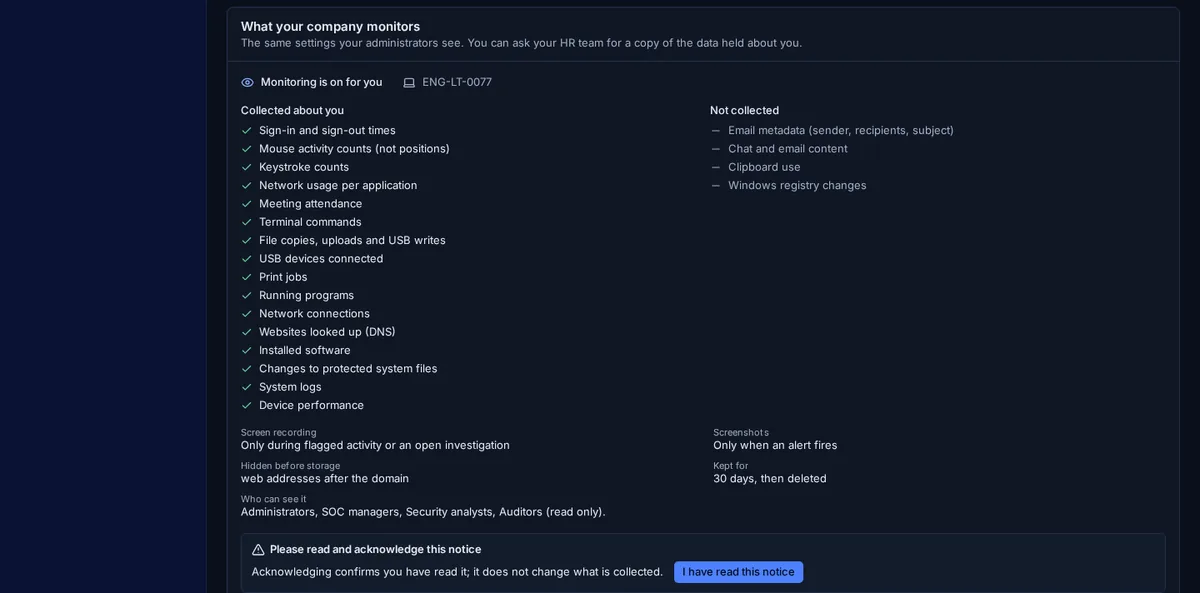
- A notice before anything is collected. On every monitored device the agent shows the monitoring notice and collects nothing (no activity, screenshots, recordings, live view or terminal recording) until the person at the device has acknowledged it. Who acknowledged, when and which version of the notice is recorded, and a material change to the notice needs a fresh acknowledgement.
- No stealth mode. The agent always shows a tray indicator with the monitoring status. There is no setting that hides the agent or monitors covertly, and employee notification cannot be switched off.
- The same notice for operators and employees. Every monitoring page in the console starts with what is collected, from whom and how long it is kept. Each employee can see which of their devices are monitored, what is and is not collected, what is masked, how long it is kept and who can see it.
- Breaks stay private. With Work Mode, people clock in and out from the tray and can pause monitoring for a break or personal time; nothing is captured or counted while paused.
- Deliberate, logged viewing. Live view needs an explicit confirmation that states its purpose limits and is read-only. Opening a live view and playing a recording are written to the audit log.
- Collect less by default. Screen recording can be limited to flagged activity or an open investigation, screenshots to alerts, regions of the screen can be blacked out before upload, and window titles can be masked. If masking fails, the frame is dropped rather than sent unmasked.
You remain responsible for a lawful basis and proper notice under the laws that apply to you, such as the DPDP Act 2023 in India or the employee-monitoring and privacy laws of the US states where your people work.
Capabilities
- Consent and notice
- Notice shown and acknowledged on the device before any capture, acknowledgement records per notice version, tray indicator, Work Mode, no stealth mode.
- Agents
- Agent health, version, update channel, mode, users, modules and the capture policy in force on each device.
- Live view
- Read-only view of a screen that is streaming now, opened only after a confirmation that states its purpose limits, and logged.
- Recordings
- Screen and terminal recordings with player, activity timeline, record-on-violation, tamper-evidence manifest, logged playback and confirmed deletion.
- Productivity
- Active and productive time by day, team and person over 7 or 30 days, classified by your company’s rules.
- Attendance and timesheets
- Worked hours, breaks and sessions per person, daily clock-in and clock-out, timesheets, shifts, projects and time claims.
- Data protection
- File transfers, USB devices, print jobs, data labels and AI-tool policies and violations, searchable and sortable.
- Insider risk
- Behaviour scores against peer groups, with cases opened for review.
- Employee portal
- My productivity with the person’s own figures and the monitoring notice, plus agent and VPN client downloads.
How Ciyora Monitor works with the rest of the platform
Every module shares one tenant, one identity model, one audit chain and one console, so a finding in one place is context everywhere else.
Ciyora Monitor can be bought on its own or as part of a bundle. See Ciyora Monitor pricing.
See Ciyora Monitor in a demo
A demo walks through the module on a sample tenant and covers how it would connect to your identity provider, cloud accounts and sites.